DTF & Shop Cost
How to Plan DTF Gang Sheets Without Wasting Film
Grid packing, gaps, margins and pricing rules so mixed designs still make money.
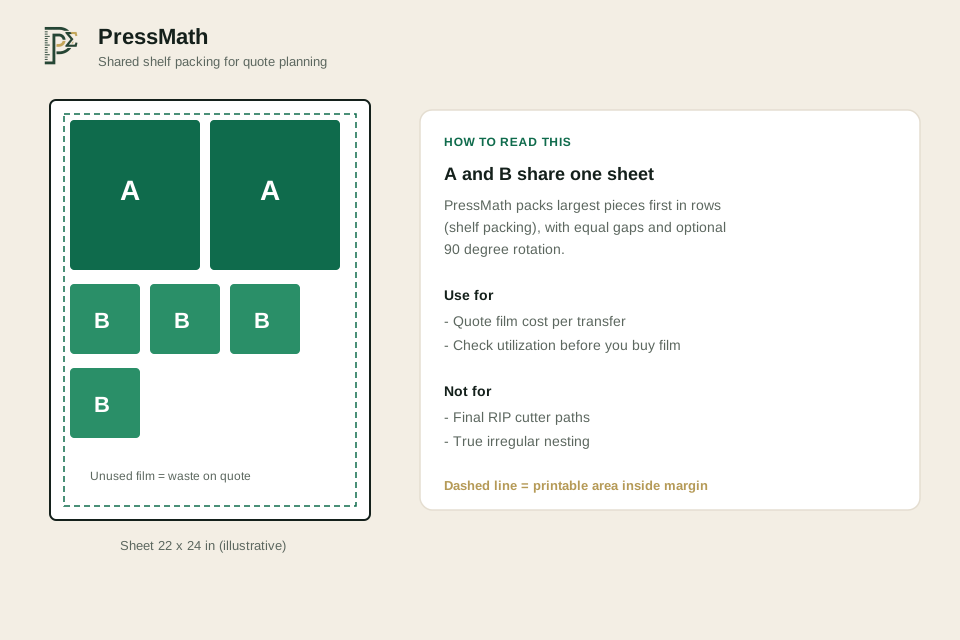
Direct answer: List every design size and quantity, set sheet width/height, gap and margin, then pack conservatively. PressMath’s gang calculator uses shared shelf packing with optional 90° rotation and shows a layout preview — useful for quotes, not a full RIP nester.
Planning steps
- Export each design at final inches (and check DPI — see DPI for DTF).
- Choose sheet width (often 22 or 24 in) and a working length.
- Set gap and outer margin (many shops start near 0.125–0.25 in — verify for your cutter).
- Enter sizes A/B/C and quantities in the DTF Gang Sheet Calculator.
- Read utilization, waste and film $/transfer, then price with Print Pricing or DTF pricing.
Worked example (illustrative)
Sheet 22 × 24 in, margin 0.25 in, gap 0.25 in, design A 10 × 12 in qty 4, design B 4 × 4 in qty 8. Run those defaults in the calculator to see shared packing, utilization and average film share per transfer. Expect rectangular shelf packing — a nesting RIP may fit slightly more.
Assumption: equal gaps, optional 90° rotation, rectangular bounds. See also sticker sheet grid packing for the simpler single-size case, and film $/ft² for area cost.
FAQ
Will my RIP beat this count?
Sometimes, with true nesting. PressMath stays conservative so quotes do not over-promise.
Should I mix sizes on one sheet?
Yes for film savings — but price carefully so small logos do not subsidize large prints if you charge flat.
What gap should I use?
Start from your cutter/RIP safe spacing (often around 0.125–0.25 in) and confirm on scrap film.
Use these calculators next
Related guides
Keep exploring
DTF & Shop Cost tools · Resources hub · All calculators · FAQ · Sitemap
Published Oct 8, 2026. Updated Oct 9, 2026.